Demos for CPQ Belgium and the Merkato group
3D configurator demos for CPQ Belgium
Five browser-based configurators in which every choice changes the 3D model live.
- Client
- CPQ Belgium and the Merkato group
- Role
- Real-time 3D development
- Tools
- three.js, JavaScript
- Type
- Sales demos
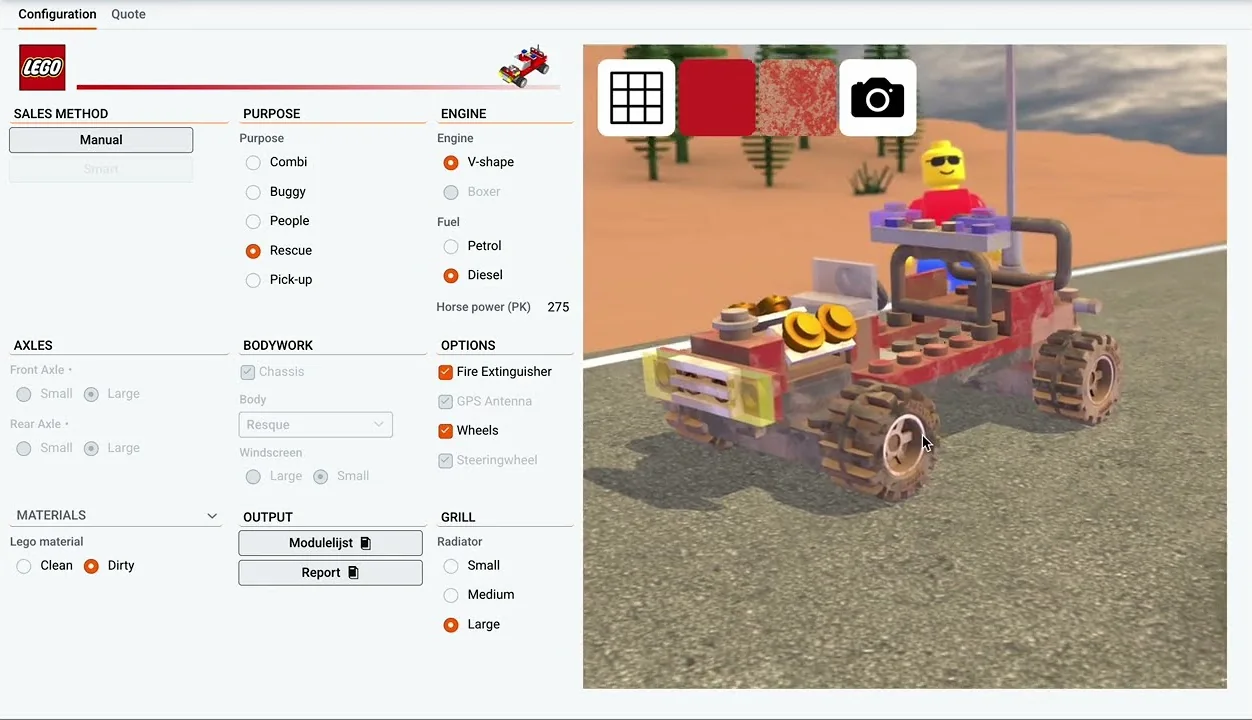
- Five very different products, one idea: the customer sees the result while still choosing.
- The 3D view sits inside the CPQ interface, so the options that drive the quote also drive the model.
- Rules run in the background: parts only go where they fit, and extra supports appear when the design needs them.
Why 3D in a quote tool
CPQ software turns a customer’s wishes into a valid product, a price and a quote. A 3D view shows the result while the choices are still being made, and that is what these demos are for. We made them for CPQ Belgium and the Merkato group, each for a very different kind of product.
Lego car
A brick car, configured inside the Merkato CPQ interface. The questions are functional, not technical: what is the car for, which engine and fuel, which extras. In Smart mode the rules pick the matching parts. In Manual mode you choose them yourself.
The 3D view rebuilds the car with every click. You can look at it in a studio or in a desert scene, change its colour, and switch the bricks from clean to dirty. The video at the top of this page shows the whole flow.
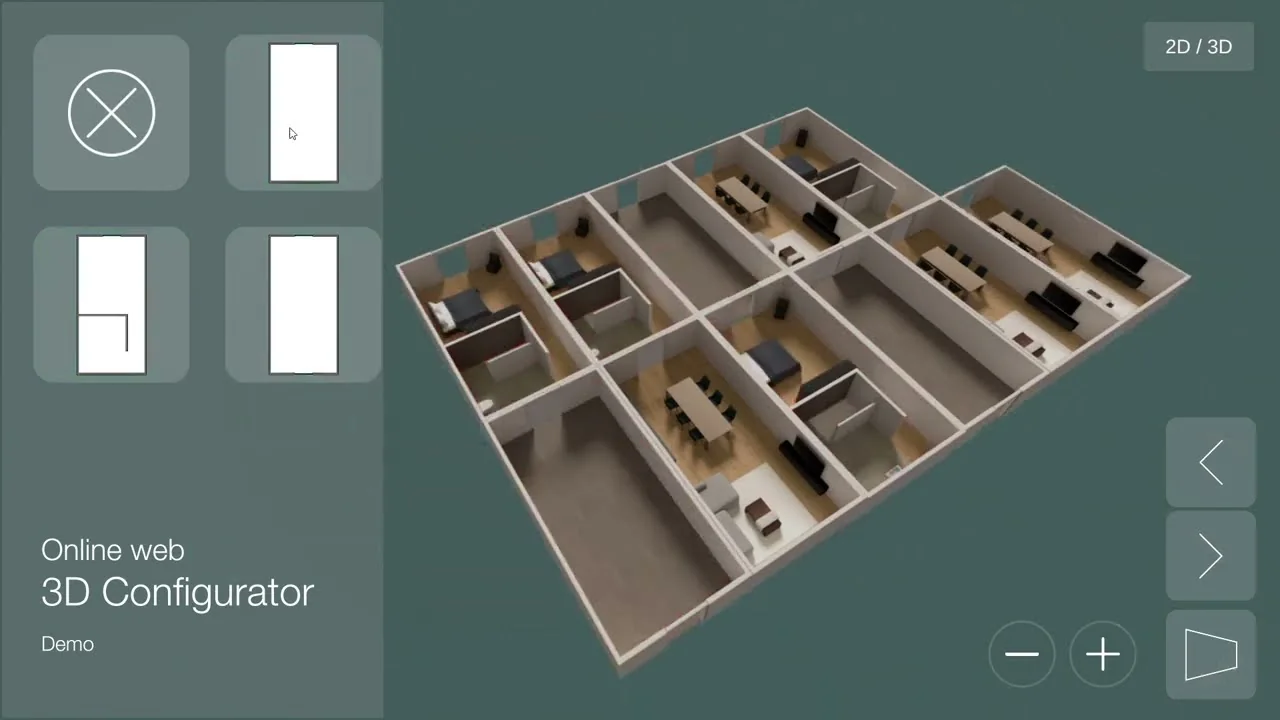
2D and 3D units
Units are laid out on a 2D plan and inspected in 3D, switching back and forth at any moment. Rules make sure a unit can only be added where it fits.
Veranda
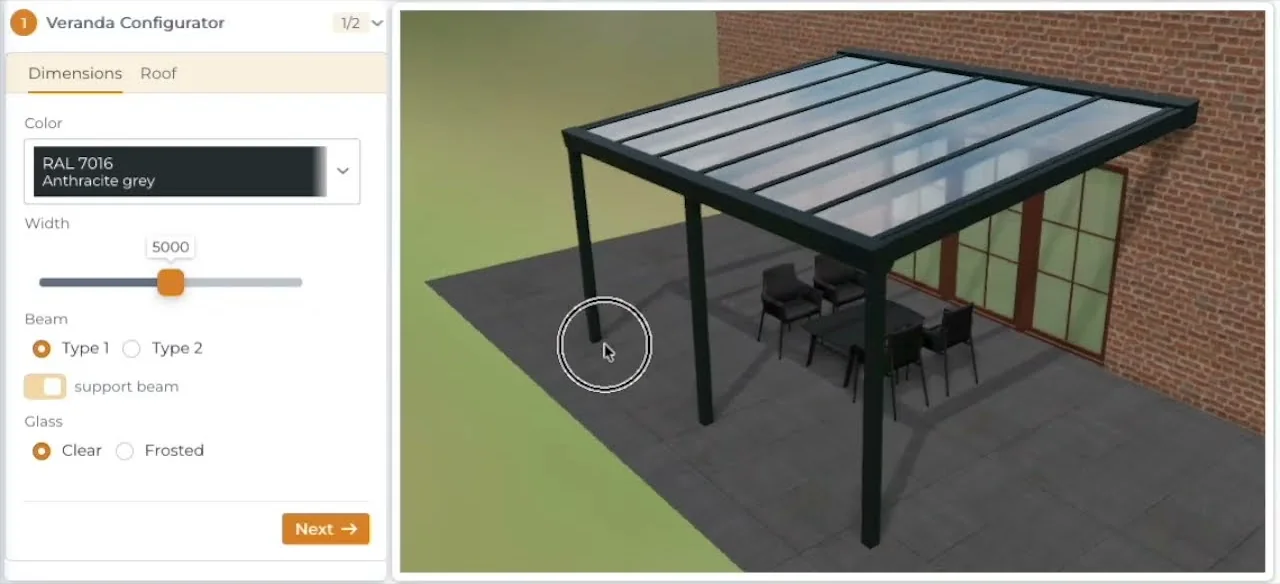
A veranda against a house. You set the size, the profile colour, the beam type and the glass, and you can change the house behind it so it matches the customer’s own.
Calculations in the background add support beams when the span needs them, and produce the correct bill of materials.
Container and modular interior
YouTube videos and their stills: CPQ Belgium.